
Free paid media plan builder
Build a paid media plan that actually drives revenue.
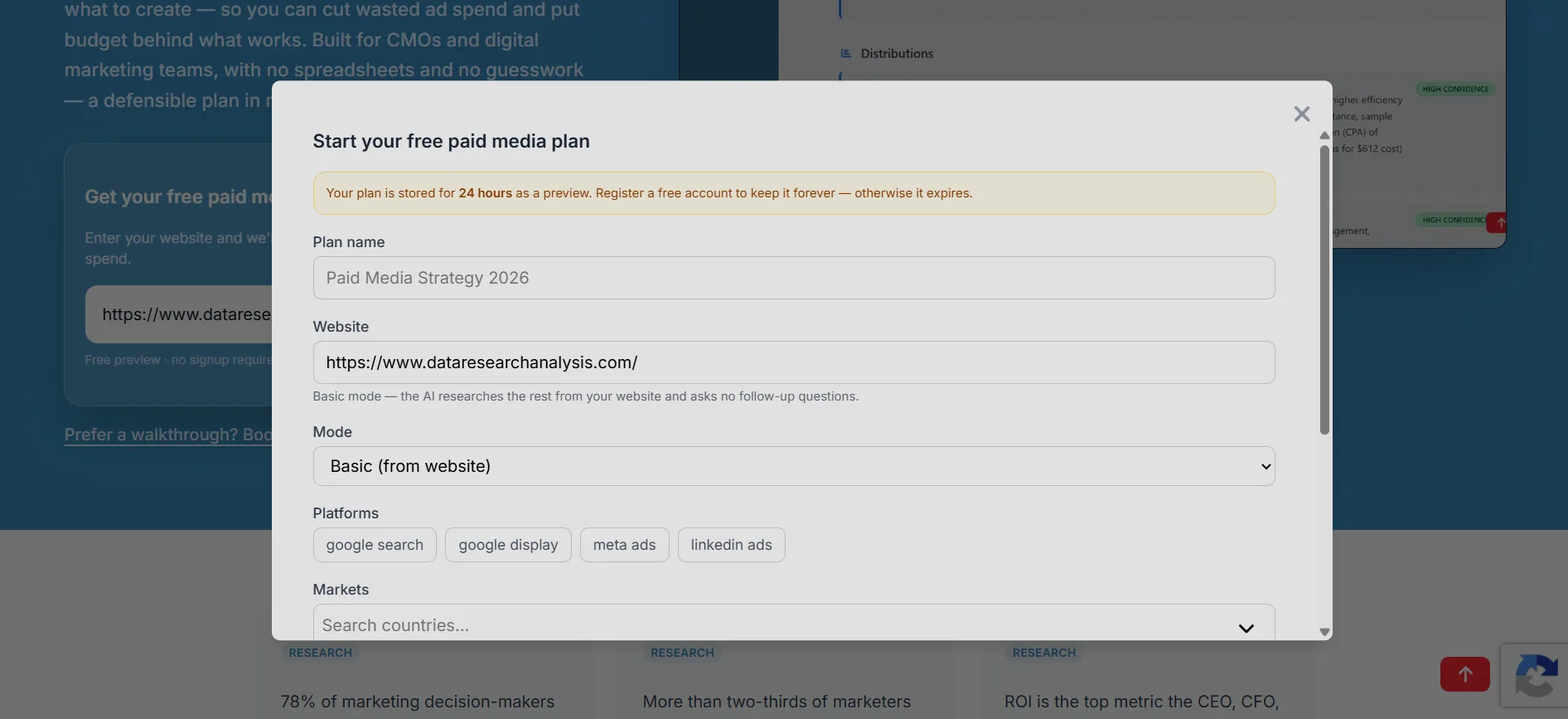
Get your free paid media plan
Enter your website and we'll build a plan to improve your ad and marketing spend.
Free preview · no signup required · keep it when you register


Free paid media plan builder
Build a paid media plan that
actually drives revenue.
Get your free paid media plan
Enter your website and we'll build a plan to improve your ad and marketing spend.
Free preview · no signup required · keep it when you register
78% of marketing decision-makers believe at least 10% of spend is wasted. The average organization wastes 25% of its budget on efforts that do not drive revenue.
More than two-thirds of marketers estimate at least 11% of media budgets are lost to optimization lag.
ROI is the top metric the CEO, CFO, and board use to judge marketing.
What wasted ad spend is already costing you.
The average organization wastes 25% of its budget on efforts that do not drive revenue. A channel-by-channel plan puts every dollar behind what works.
See what you are losing.
10% is a conservative industry benchmark. 78% of marketing decision-makers believe at least 10% of spend is wasted (Haus, 2026, via eMarketer). The average organization wastes 25% (DemandScience, 2026). Your result depends on your data.
7 Problems Holding Your Marketing Back
The MarTech Stack Mess
54% of CMOs say connecting data from different sources is a major barrier. You have no way to see the full picture without opening 10 tabs.
The ROI Proof Gap
You can't connect spend to revenue because the infrastructure is missing. Your dashboards show success but the bank account is flat.
The Strategic Velocity Gap
Legacy tools carry a 48-hour reporting lag. By the time you see the data, your competitors have already pivoted.
The Executive Trust Gap
The CEO sees a dashboard full of green arrows but the bank account tells a different story. Trust erodes fast.
The Invisible Drain
Marketing teams spend an average of 14.5 hours a week collecting and preparing data instead of optimizing campaigns.
The Technical Translation Trap
CMOs are playing IT support for broken dashboards instead of driving strategy. You should not need a data scientist to get a report.
The Exhaustion Wall
Talent burnout is caused by data drudgery, not workload. Your best people leave because they are drowning in spreadsheets, not strategy.
The Cost of Guessing
In a cut-throat market, guessing is expensive. It costs you market share, budget, and your peace of mind.
From guesswork to a channel-by-channel plan
AI Paid Media Plan Builder
Point Data Research Analysis at your website and it builds a channel-by-channel plan: where to spend, how much, and what to create.
Channel-by-Channel Budgets
Every channel gets a recommended budget and targets, so spend follows the plan — not last month's gut feel.
Campaign Playbook
Know what to create before you launch — offers, audiences, and formats for each channel.
Live Campaign Tracking
Connect Google Ads, Meta, and Analytics — then watch your plan's campaigns perform in real time.
Wasted-Spend Signals
AI flags underperforming campaigns and channels so you shift budget to what actually works.
Built for Marketing Teams
Made for CMOs and digital marketing teams. No spreadsheets, no guesswork — a defensible plan in minutes.
From Plan to Performance
Two halves of one engine: build the plan, then track how every channel performs.
Paid Media Plan Builder
Point Data Research Analysis at your website and get a channel-by-channel plan — where to spend, how much, and what to create.
- Website to plan in minutes
The AI reads your site and goals and builds the plan automatically.
- Budget, targets, and a playbook
Each channel gets recommended spend, goals, and what to create.
- A plan you can defend
Every recommendation ties back to your site and goals — no guesswork.
Campaign Intelligence
Connect your channels and watch how your plan's campaigns actually perform — spend, results, and waste.
- Live performance per channel
Spend, conversions, and ROAS for every plan campaign, updated as data syncs.
- Plan vs. actuals
Compare what you planned with what each channel actually delivered.
- Alerts that catch waste early
Get flagged when spend spikes or a channel underperforms its target.
How It Works
Enter your website
The engine reads your site and your goals.
Get your plan
Channel-by-channel budget, targets, and a creative playbook.
Connect channels
Google Ads, Meta, and Analytics in one click.
Track and improve
See plan vs. actuals and shift budget to what works.
Track your plan on the channels you already run
Your plan says where to spend. Campaign Intelligence tells you how it performed — channel by channel.
You can build plans for Google Search, Google Display, Meta Ads, and LinkedIn Ads. Google Search and Google Display are tracked through your Google Ads connection, and Meta Ads through Meta. Tracking below reflects the channels you actually run and connect.
Your channel-by-channel plan
ExamplePlanned vs. actuals · last 30 days
Google Ads
Search
Meta
Social
Connected via OAuth — campaign results report back automatically.


Your AI Campaign Strategist
"Where should we spend? The AI builds the plan."
Imagine a strategist who knows your website, your market, and every channel — ready to build a channel-by-channel plan in minutes. That's the AI Paid Media Plan Builder.
- No more guessing where the budget goes.
- No more starting from a blank spreadsheet.
- Just point it at your website and get where to spend, how much, and what to create.
Here's your channel-by-channel plan.
| Channel | Monthly spend | Goal |
|---|---|---|
| Google Ads (Search) | $8,000 | 4.0x ROAS |
| Meta (Prospecting) | $6,000 | 3.5x ROAS |
Insights: Search captures high-intent buyers now and Meta builds the audience. You'll track each against the plan in Campaign Intelligence.
Official Partnerships & Verifications
Recognised by the World's Leading Platforms
Data Research Analysis is an officially recognised technology provider with Meta and a verified business on LinkedIn, meeting their strict compliance and quality standards.
Technology Provider
Officially listed as a Meta Technology Provider, enabling verified access to the Meta Marketing API.
Verified Business
Recognised as a LinkedIn Verified Business, meeting LinkedIn's verification and compliance standards.

Accelerator Cohort 36
Selected for the Peach Score Accelerator — Cohort 36, a 12-month virtual programme supporting fast-growing companies.
Simple, Transparent Pricing
One product, every tool on every plan. Pay only for what your team actually runs.
Save 20% with annual billing
Free
Try the whole product, no card required.
- 1,000 credits in your first month, then 500 credits every month
- Every feature — plan studio, AI analysis, data models, dashboards, reports, AI insights
- Unlimited team members
- A data-row allowance per data model, with scheduled channel syncs
Pro
Credits for the whole team, scaled to your volume.
Billed annually — save 20%
- Everything in Free, with more credits
- A larger data-row allowance per data model, with scheduled channel syncs
- Credits roll over month to month
- Extra packs from $9 — credits never expire
Enterprise
Custom deployment, onboarding, and support.
- Everything in Pro, scaled to your volume
- Unlimited rows per data model
- SAML 2.0 SSO (Okta, Azure AD, OneLogin, ADFS)
- SSO domain enforcement + JIT provisioning
- Private deployment options
- White-glove onboarding
- Custom feature development
- Direct engineering support
- 99.9% uptime SLA
- Custom SLA agreements
- Volume discounts
How many credits do you need?
Estimate your team's monthly AI usage. Credits are only consumed by AI-powered actions — data syncs, viewing and manual work are always free.
Paid media plan builds
500 credits each
Client deck (PPTX) exports
50 credits each
AI analyses
10 credits each
AI insights runs
5 credits each
Attribution model runs
25 credits each
Plan / model chat messages
2 credits each
Auto-generated dashboards
30 credits each
Estimated monthly credits
3,320
What actions cost
Credits are about 1 cent each; exact rates vary by plan and pack. You only pay when an action succeeds.
| Action | Credits |
|---|---|
| Paid media plan build (full plan, 18 steps) | 500 |
| Client presentation deck (PPTX) export | 50 |
| AI analysis (from your data models) | 10 |
| Attribution model run | 25 |
| AI insights run | 5 |
| AI report generation | 15 |
| Auto-generated dashboard | 30 |
| One-click AI data model generation | 20 |
| AI model analysis (by size) | 15 / 30 / 60 |
| Plan or model chat message | 2 |
| Web search grounding | 1 |
Prices are per deliverable. Large analyses scale by data size (×1/×2/×3).
Every plan includes
Frequently Asked Questions
What is Data Research Analysis?
Data Research Analysis (DRA) is an AI paid-media operating system for CMOs, performance marketers, and digital marketing teams. Plan Studio turns your website and brief into a channel-by-channel paid media plan — where to spend, how much, and what to create — then tracks campaigns against that plan with targets, attribution, dashboards, reports, and AI insights.
How does the paid media plan builder work?
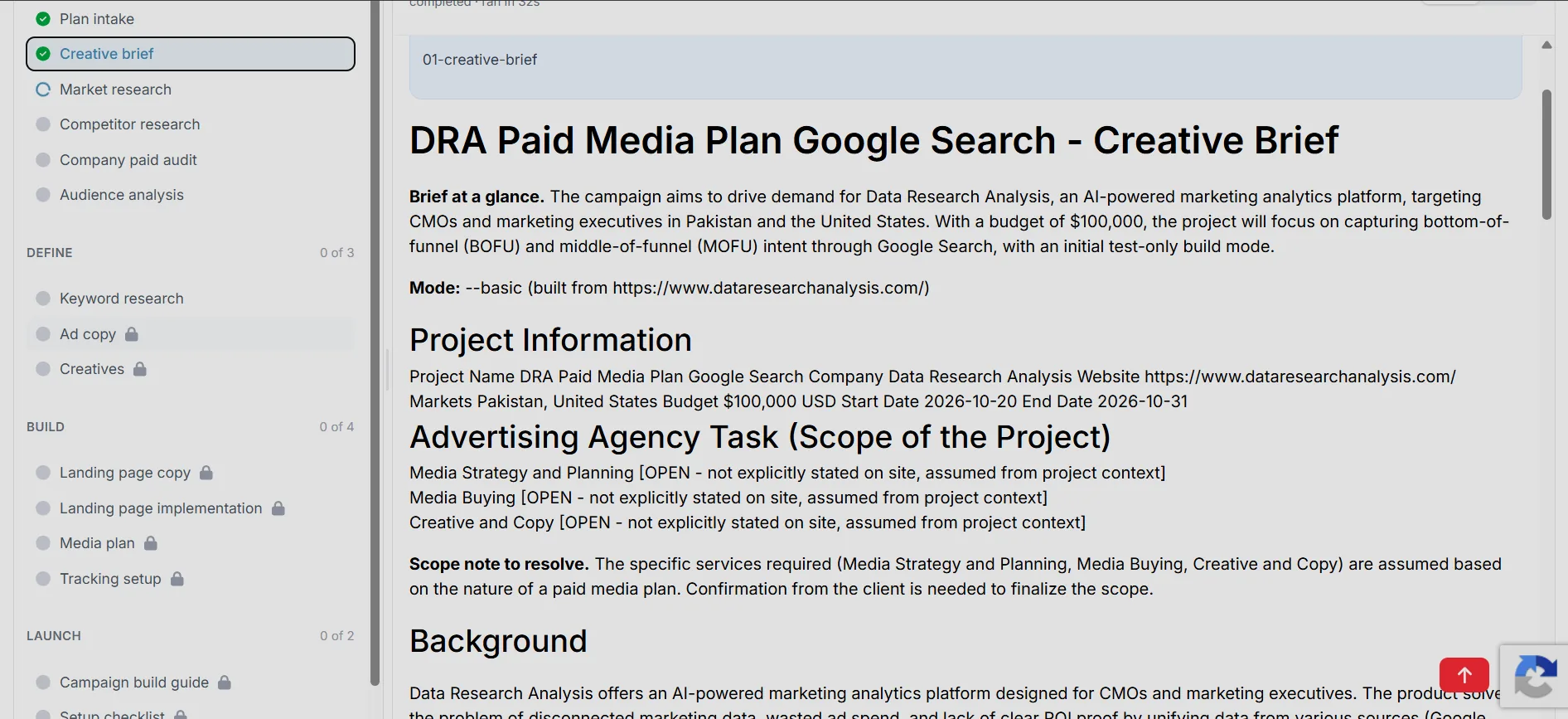
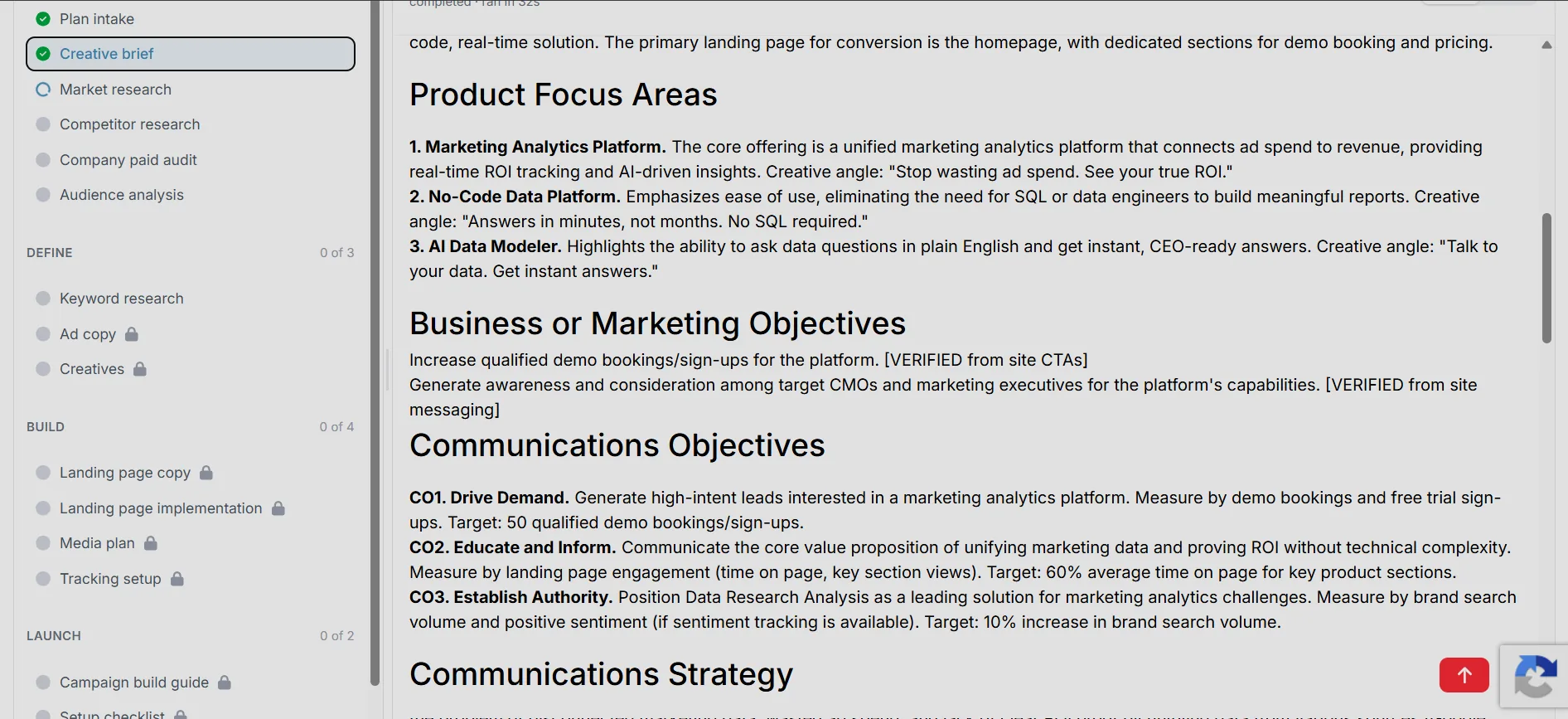
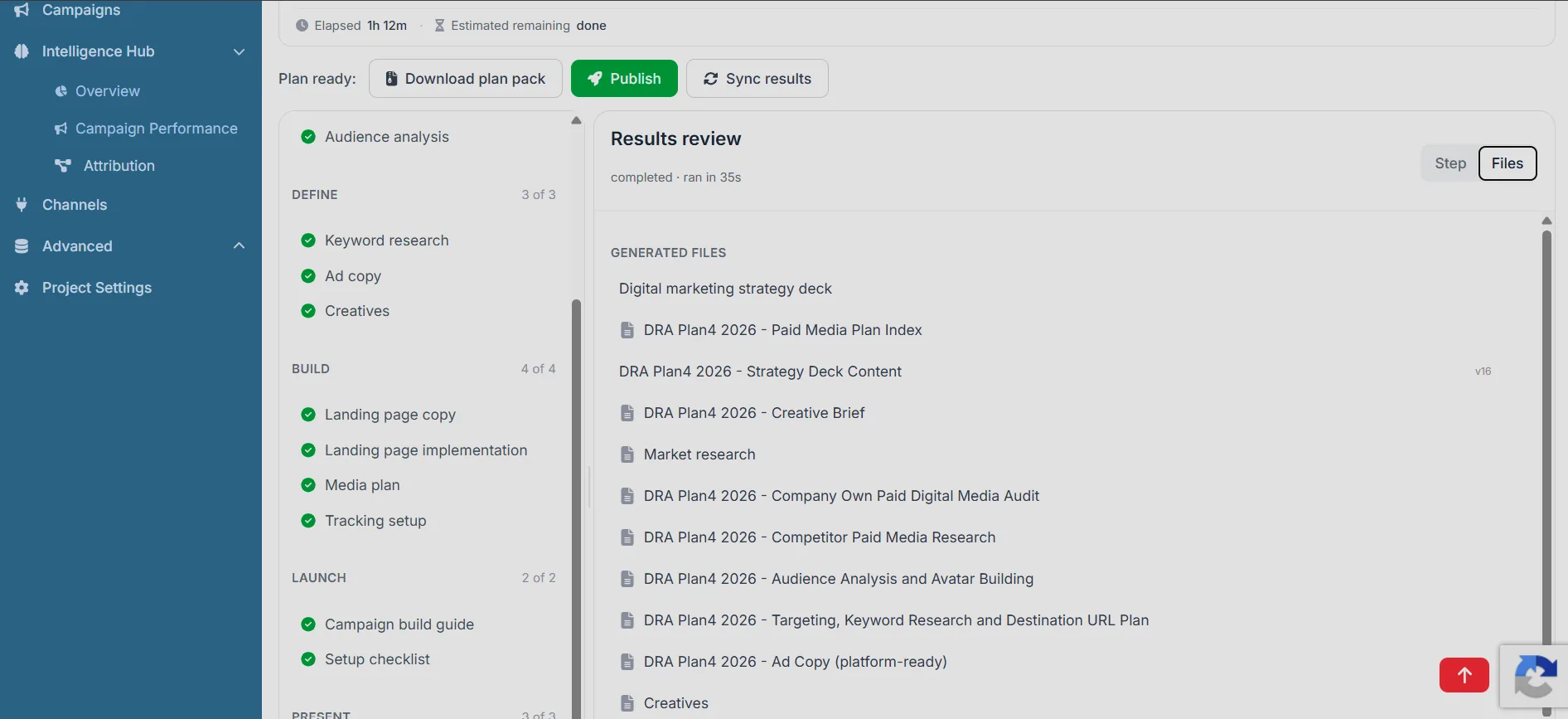
Enter your website, target platforms, markets, budget, and dates. In Basic mode the AI runs the full 18-step pipeline without follow-up questions; Advanced mode adds a detailed brief covering industry, product, competitors, existing channels, team, and autonomy. You review five human checkpoints — funnel/build mode, brief, destination URLs, tracking, and pre-launch QA — and receive a media plan, creative brief, ad and landing-page copy, tracking setup, campaign build guide, QA checklist, and strategy deck. Deliverables are versioned in the plan, and deck/PPTX export requires Starter or above. You can then publish the plan to create draft campaigns and targets and track actual results against them.
Can I try it before signing up?
Yes. Start a free guest plan from the homepage with just your website. You can run the first seven steps (0–6), including market and competitor research and keyword planning; later steps and exports are locked. Register to claim the plan into a free account and continue building it; claiming the guest plan uses one of your monthly plan builds. The Free plan includes 500 credits every month for AI-powered actions, and everything else — connecting channels, data syncs, viewing, and manual work — is always free.
What are credits?
Credits are the meter for AI-powered actions like building a paid media plan, running an AI analysis, or exporting a client deck. Manual work, viewing data, connecting channels, and data syncs are always free.
What happens when I run out of credits?
AI-powered actions pause until you top up. Buy a credit pack ($9 / $40 / $70) — packs never expire — or increase your monthly Pro credits. You are never billed for a failed action.
Do credits roll over?
Yes. Monthly Pro credits roll over to the next month, and purchased packs roll over indefinitely. Free plan credits reset at the end of each month.
Which channels does it plan for and track?
Plan Studio can include Google Search, Google Display, and Meta Ads in a plan. Tracking connectors are live for Google Ads, Google Analytics 4, Google Ad Manager, and Meta Ads. HubSpot and Klaviyo are built but also in gated rollout. You can add offline campaign data, upload Excel/CSV or PDF files, and connect PostgreSQL, MySQL, MariaDB, or MongoDB on Professional and above when you need engineering data.
Do I need technical skills to use Data Research Analysis?
No. Plan Studio is built for marketers: you provide the website and brief, and the AI handles research, planning, copy, and deliverables. Ad accounts connect through OAuth, and files can be uploaded directly. For analysts, the visual data modeler and SQL/MongoDB connectors are available on Professional and above when you need deeper control.
How is Data Research Analysis different from a BI or analytics tool?
BI tools visualize data but do not tell you where to spend. DRA builds the plan first — where to spend, how much, and what to create — then writes those targets into campaign and ad-set records, syncs actual results back, and compares planned versus actual performance. The result is a closed loop from strategy to spend to outcome, not just another dashboard.
Is my data secure?
Yes. Connection credentials, MongoDB connection strings, and OAuth tokens are encrypted at rest with AES-256-GCM. The platform uses JWT authentication, role-based access control, rate limiting, and SQL safety guardrails, and supports SAML 2.0 SSO with JIT provisioning on Enterprise. Data export, deletion, and configurable retention controls support GDPR-aligned workflows.
Can I share plans and results with my team?
Yes. Organizations, workspaces, and projects support owner/admin/member, workspace admin/editor/viewer, and project analyst/manager/CMO roles. Reports can be shared through public links with 7-, 30-, 90-, or 365-day expiry that you can copy or revoke. Dashboards on Professional and above can also be shared through public links. Professional Plus adds organization branding to public reports and dashboards.
How much does Data Research Analysis cost?
Pricing is credits-based and every plan includes every feature — features are not gated by tier. Free includes 500 credits every month at $0. Pro starts at 5,000 credits for $49/month billed monthly, or $39/month billed annually (about 20% off), with credits rolling over month to month. Credit packs ($9 / $40 / $70) never expire. Enterprise is custom priced for volume, onboarding, SSO, and SLAs. Credits are only consumed by AI-powered actions — data syncs, viewing, and manual work are always free.
Can I change my plan or cancel?
Anytime. Pro is billed monthly or annually and can be changed or cancelled from the billing page. Upgrades take effect immediately with proration shown before you confirm; cancellations take effect at the end of the current billing period. See the refund and cancellation policies for details.
Is there a free trial for paid plans?
There is no separate time-limited trial. You can start with the Free plan — 500 credits every month — or run a guest plan with just your website, then upgrade to Pro when you need more credits, rollover, or more data capacity. For Enterprise evaluations, contact sales to arrange a customized assessment.
Do you offer annual discounts?
Yes. Annual billing saves about 20% on Pro — 5,000 credits is $49/month billed monthly or $39/month billed annually. Enterprise is custom priced.
What payment methods do you accept?
We accept all major credit cards (Visa, Mastercard, American Express) through Paddle, our secure payment processor and merchant of record. Monthly and annual billing are available, and you can update your payment method, view invoices, and manage your subscription from the billing page. For Enterprise plans or custom billing agreements, contact our sales team.